Widget
What a period calendar widget should show on the iPhone home screen
A home screen widget is not a smaller version of the full app. It should answer one question quickly: where am I in my cycle today?
The job of a cycle widget
A good period calendar widget should be glanceable. Apple describes widgets as focused surfaces for timely information, and that is exactly how MiniCycle treats the home screen: a small place for the current cycle state, not a full tracking form.
What MiniCycle shows
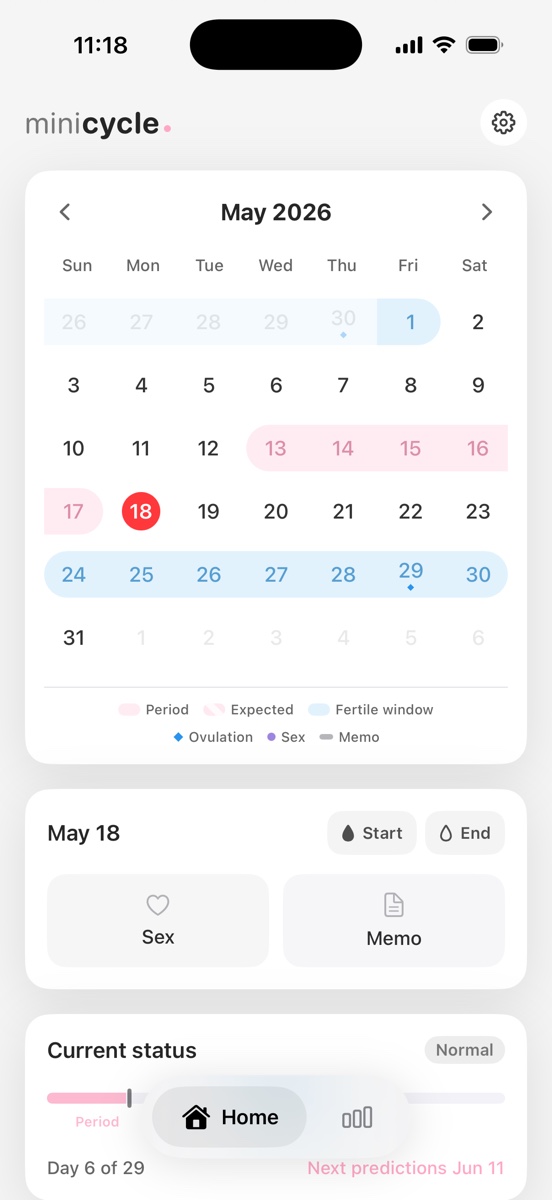
MiniCycle's widget shows the current cycle label, a small monthly calendar, period prediction, fertile window markers, and the selected day highlight. The goal is to make the next useful check available before you open the app.
Why the widget stays simple
Dense health widgets can become hard to read. MiniCycle avoids long notes, private details, and editable controls on the widget. Sensitive actions belong inside the app, where the interface has more space and privacy controls are clearer.
How the widget matches the app
The widget uses the same underlying cycle prediction rules as the app. This matters because people lose trust quickly when the app calendar and the home screen widget disagree. MiniCycle keeps both surfaces tied to the same shared calculation.
When to open the full app
Open the app when you need to add a period start, adjust an end date, write a short note, review statistics, or change privacy settings. The widget is for reading. The app is for recording and reviewing.
What belongs on the widget, and what does not
A period calendar widget works best when it shows status, timing, and one or two next actions. MiniCycle prioritizes the current cycle phase, the next expected period, and compact calendar marks. It does not try to fit every note, setting, or explanation into the widget because dense widgets are slower to scan.
Private details are also intentionally left out. A home screen can be visible in shared spaces, during screen sharing, or when someone else briefly holds the phone. MiniCycle keeps the widget useful without making it a public summary of sensitive records.
How widget consistency affects trust
People notice immediately when a widget and the app disagree. A one-day mismatch between the calendar, the cycle status, and the widget can make the whole product feel unreliable. MiniCycle avoids that by using shared prediction logic for the app and widget rather than maintaining separate rules.
This also makes product support simpler. If a user asks why a date appears, the answer can be traced to the same saved records and settings regardless of whether they saw the date in the app or on the home screen.
Choosing the right widget size
A small widget is best for a status label and one date. A medium widget can support a compact calendar. Larger layouts can show more context, but more space does not automatically make the widget better. The right size is the one that can be read in a second without exposing details you would rather keep inside the app.
Common widget mistakes in period tracking apps
One common mistake is turning the widget into a miniature dashboard. A widget filled with several charts, notes, and settings may look feature-rich in a screenshot, but it is rarely useful when someone is quickly unlocking a phone. The home screen is a high-traffic surface, so the design has to respect attention and privacy.
Another mistake is hiding uncertainty. If a widget shows an estimated fertile window or next period date, the product should make clear that the date is a forecast. MiniCycle keeps recorded and predicted states visually distinct so the widget can stay simple without becoming misleading.
Why this matters for everyday use
Most people do not open a period tracker because they want to study a dashboard every day. They open it because they need one small answer: when did the last period start, what is expected next, or where am I in the current cycle? A good widget reduces the number of times the full app has to be opened for those routine checks.
MiniCycle is built for a clean iPhone period calendar, local records, simple statistics, and a home screen widget.
View on the App Store