Privacy
Private period tracking without an account: why MiniCycle stores records locally
Period data can feel private even when it looks ordinary on a calendar. MiniCycle is designed around a simple privacy rule: do not require an account when the product does not need one.
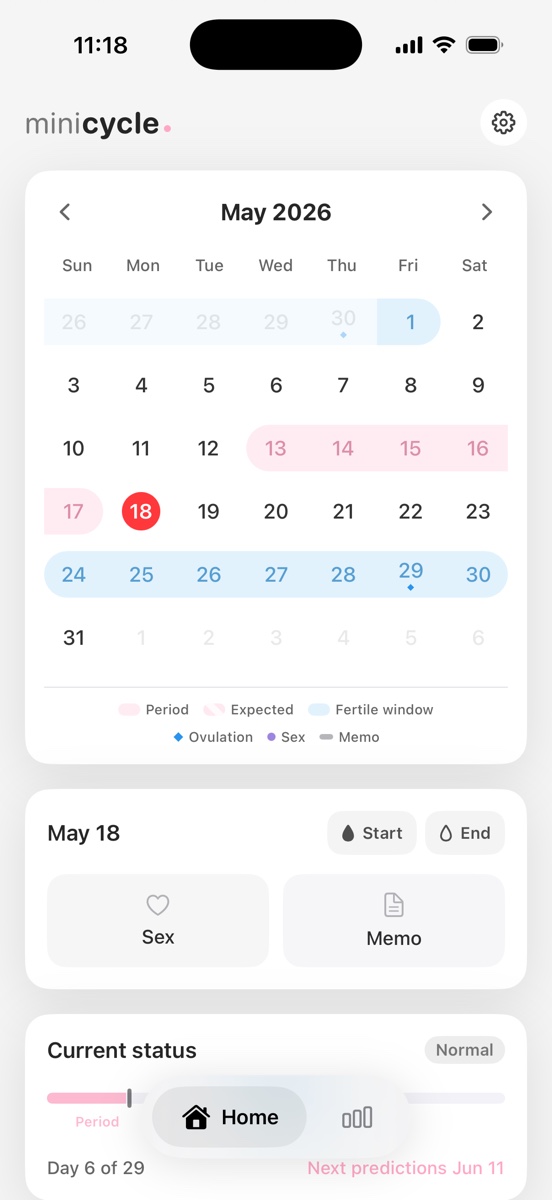
Why accountless tracking matters
Many apps ask users to create an account before any value is delivered. For a simple period calendar, that tradeoff is not always necessary. MiniCycle lets you record and review cycle data without signing in.
What local storage changes
Local storage means your records stay on the device by default instead of being uploaded to a MiniCycle server. This reduces the amount of infrastructure that can access your cycle history and keeps the app focused on the calendar experience.
Where iCloud fits
If you want records to survive a phone change without a MiniCycle account, you can turn on iCloud Sync. That stores a copy in your private iCloud account using Apple CloudKit, and it remains separate from MiniCycle's website analytics.
What local storage does not solve
Local storage is not the same as a medical privacy guarantee. Device backups, iCloud settings, screenshots, shared devices, and operating system settings still matter. MiniCycle's approach is intentionally narrow: collect less and avoid unnecessary MiniCycle server accounts.
How website analytics are separated
The MiniCycle website uses Google Analytics to understand page views and blog traffic. That website analytics setup is separate from your in-app period records. Blog page views do not include period dates, notes, or cycle history.
A practical privacy rule
The best privacy feature is often the data you never collect. MiniCycle keeps the product small so it can avoid MiniCycle account data, social features, and its own remote cycle database.
Why less collection is a product decision
Privacy is often described as a policy page, but it starts earlier in the product design. If a simple period calendar can work without a MiniCycle account, social graph, or MiniCycle-operated remote cycle database, then those systems do not need to exist in the first place. MiniCycle treats that as a product constraint, not an afterthought.
This choice also keeps the first-run experience lighter. A user can open the app, add a period start, and see the calendar without deciding whether to create another health-related account. That matters for a tool that may be used for a private, recurring task rather than a social or collaborative workflow.
Backups, devices, and realistic expectations
Local storage reduces server-side exposure, but it does not make data invisible. Device backups, optional iCloud Sync, screenshots, shared devices, and anyone with device access may still matter. A practical privacy page should be clear about those limits instead of implying that local storage solves every risk.
MiniCycle's narrower promise is easier to verify: it does not require a MiniCycle account for the app experience, and optional iCloud Sync is separate from the website analytics described on this site.
Questions to ask any period tracker
Does the app require an account before you can use the core calendar? Does it explain where period records are stored? Does it separate website analytics from health records? Does it collect data because the feature truly needs it, or because the product was built around accounts by default?
What accountless design changes in practice
Accountless design changes the product beyond the login screen. There is no password recovery flow to manage, no profile setup before the first record, and no assumption that a private calendar needs a social or cloud identity. That makes the product smaller, but it also makes the boundaries easier to understand.
The tradeoff is that accountless local storage is not automatically the same as cross-device sync. MiniCycle now offers optional iCloud Sync for people who want records to survive a phone change, while keeping the core app usable without a MiniCycle account.
Privacy wording should match product behavior
A privacy page is more useful when it describes actual product behavior instead of relying on broad promises. MiniCycle's website explains the difference between app records and website analytics because those are different systems. That distinction helps users understand what is and is not connected.
MiniCycle is built for a clean iPhone period calendar, local records, simple statistics, and a home screen widget.
View on the App Store