Settings
Should a period calendar start on Sunday or Monday?
Open the calendar on two phones bought in different countries and the columns may not line up. One starts the week on Sunday, the other on Monday, and neither is wrong. About 67 countries begin the week on Sunday and around 160 begin on Monday. The international date standard sides with Monday, while most of the Americas, along with Korea, stay on Sunday. MiniCycle lets you choose. The setting is small. It changes only how the grid is drawn, and it leaves every date you recorded exactly where it was.
Where the setting lives, and what it changes
You set this in one place. Open Settings, find Week starts on, and pick Sunday or Monday. New installs start on Sunday, the layout most phones in the US and Korea already use by default.
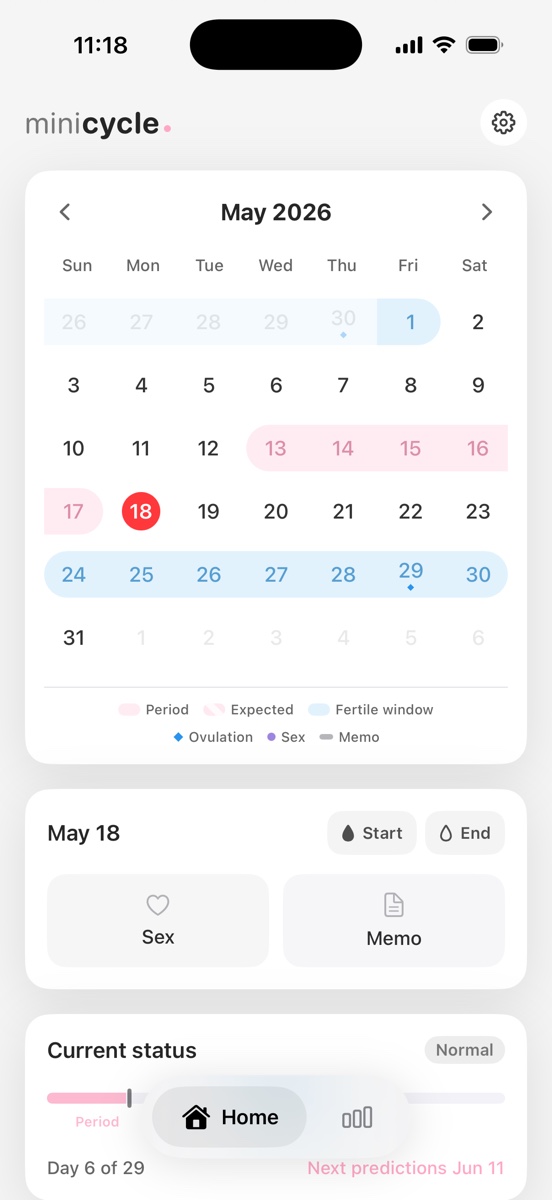
The choice moves one thing: the leftmost column. Pick Monday and Monday becomes the first column, pushing Saturday and Sunday to the right edge of each row. Everything else holds still. It works like choosing a 12-hour or 24-hour clock. The display changes; the underlying time does not.
Why do calendars disagree about this?
The split is genuine and old. Roughly 67 countries start the week on Sunday and about 160 on Monday, so by population the world lands close to a coin flip. Most of the Americas read Sunday-first, while Europe and Oceania read Monday-first. In 1988 the international standard ISO 8601 settled on Monday as the first day of the week, and much of the world followed.
Software does not guess at this. It reads your region. The Unicode CLDR project keeps a table that maps each territory to a first day of the week, and iOS uses that data to decide which column a calendar opens with. The United States and Korea are both listed as Sunday-first, which is why MiniCycle defaults to Sunday and then lets you override it.
Does changing the week start move my periods?
No, and this part is worth saying plainly. A period you logged on the 14th stays on the 14th. The cycle math, your next expected period, the ovulation estimate, and the fertile window all run on dates, not on which column a date happens to sit in. Switching from Sunday to Monday reflows the grid and changes nothing you recorded or predicted.
So the reason to choose is readability, not accuracy. If you treat the weekend as the end of the week, a Monday start keeps Saturday and Sunday together at the right. If you grew up scanning Sunday-first calendars, that layout will read faster for you. Pick the arrangement your eyes already expect, and the month gets quicker to read.
Why the widget uses the same setting
The home-screen widget reads the same week-start preference as the app. That matters more than it sounds. When a full calendar and a quick-glance widget draw the same month with different first columns, you stop trusting both of them. MiniCycle stores the preference once and hands it to both surfaces, so the first column always agrees.
Behind the scenes it is a single calendar configuration applied in two places, shared between the app and the widget. Change the setting in the app and the widget's grid follows. If it still shows the old layout, opening the app once prompts the widget to refresh.
What the week start cannot change
This is a layout preference, so its reach ends at layout. It will not make a 31-day month shorter, change which weekday a date falls on, or move an estimate by a single day. Those come from your records and the cycle calculation, and this setting touches neither.
Like every date in MiniCycle, the calendar is reference information for planning, not medical advice, contraception, or a way to judge pregnancy. The week start only decides how that information is arranged on screen. If the grid has never quite matched the way you read a week, the fix is one tap in Settings.

A quick way to decide
If you are unsure, look at what you already use. A paper planner or a work schedule that begins on Monday is a vote for a Monday start, since your phone will then match the calendar on your desk. A lifetime of Sunday-first wall calendars is a vote for Sunday. There is no accuracy cost either way, so comfort wins.
The weekend is the other thing to weigh. A Monday start places Saturday and Sunday side by side at the end of the row, which makes a free weekend easy to spot at a glance. A Sunday start splits the weekend across the two ends of the row, a layout some people prefer and others find harder to scan.
Frequently asked questions
Will switching reorder or delete my records? No. Only the columns move. Every period, note, and mark stays on its real date, and the grid simply redraws around them.
Does the week start affect cycle length or ovulation estimates? No. Those are calculated from your saved start dates and a cycle-length value, none of which depend on the first column of the calendar.
The widget still shows the old start day. What now? Open the app once. MiniCycle refreshes the widget when the app appears, and the widget's first column will line up with the app again.
Setting it once and moving on
For most people this is a one-time decision. Pick the layout your eyes expect, glance at the home-screen widget to confirm it matches, and you are unlikely to touch the setting again. It does not need seasonal adjusting or second-guessing.
The habit that actually makes the calendar more useful is the familiar one: log the start on the day it happens. The first column is a matter of taste. The start dates are what every estimate is built from.
MiniCycle is built for a clean iPhone period calendar, local records, simple statistics, and a home screen widget.
View on the App Store